Foil artwork for your printer to review
Real foil is a separate printing step. We prepare the foil shapes and the ink artwork as matching files; your printer chooses the foil, stock and process.
Any design works. “Foil artwork for printer review” is one of the downloads, free during launch with a free account.
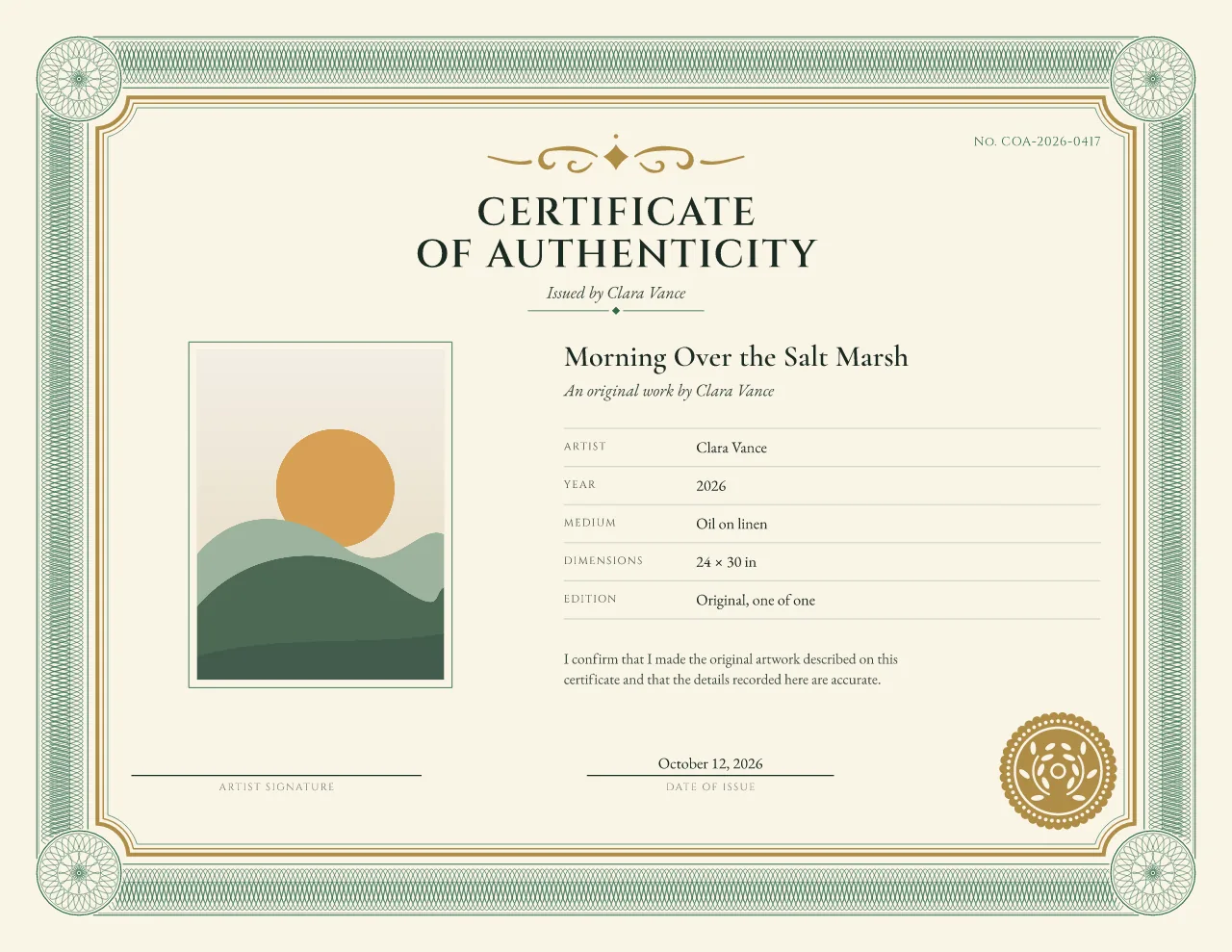
The on-screen gold of Sovereign: it lights exactly the shapes that go in the foil file.
What is in the foil package
Foil printing presses a thin metallic film onto the paper, usually with a heated metal die cut to the shape of the design, so the gold or silver actually reflects light. It is a separate step from printing the ink, done by a print shop with a foil process, which is why it needs its own file.
The download is labeled Foil artwork for printer review: a ZIP of matching files for your printer to check before anything is made. Every file has the same page size, the same 3 mm bleed and the same origin, so the foil lands exactly on the ink artwork. For a US Letter landscape certificate that is 792 × 612 pt at the trim.
harbor-light-no-3-7-of-25-foil-artwork-for-review-letter-landscape.zip
-
01-full-artwork.pdfThe whole certificate, with the foil areas shown in a flat color for position. -
02-non-foil-artwork.pdfEverything printed in ordinary ink: text, edition, signature, photo. -
03-foil-only.pdfThe foil shapes alone in solid black (100% K), for making the foil die. -
04-foil-preview.pngA picture of where the foil goes. A reference, not a color match. -
README-for-printer.txtSizes, bleed and the foil measurements, in plain English.
Why foil is a separate file
A foil die is fixed. Anything that changes from one certificate to the next stays in ordinary ink.
-
In foil
The frame, rules and seal: fixed decoration, not your details. Some designs fit their ornament to long text, so compare the foil-only PDFs before reusing one die.
-
In ordinary ink
The title, names, edition number, certificate number, date, photo and signature line. Never in the foil layer, in any design.
-
Why it helps
For edition certificates, a printer can often foil a stack of sheets once, then print each certificate's own details on top. Check first that the foil-only PDFs of 1/25 and 25/25 match.
Same foil for every certificate: Sovereign, Botanical Atelier, Archive Ledger, Heritage Frame, Studio Grid and Nocturne, for one size and layout. Foil follows the photo's shape and the text: Gallery Minimal, Object Archive and Contour. Foil follows the amount of text: Edition Rosette. The printer note in each package says the same for its design.
Which parts are foiled
Edition Rosette for print 7/25, split the way the package splits it. Fine guilloche stays in ink: tiny loops and narrow gaps would fill in under foil, so each design has a simpler, wider-lined foil set.
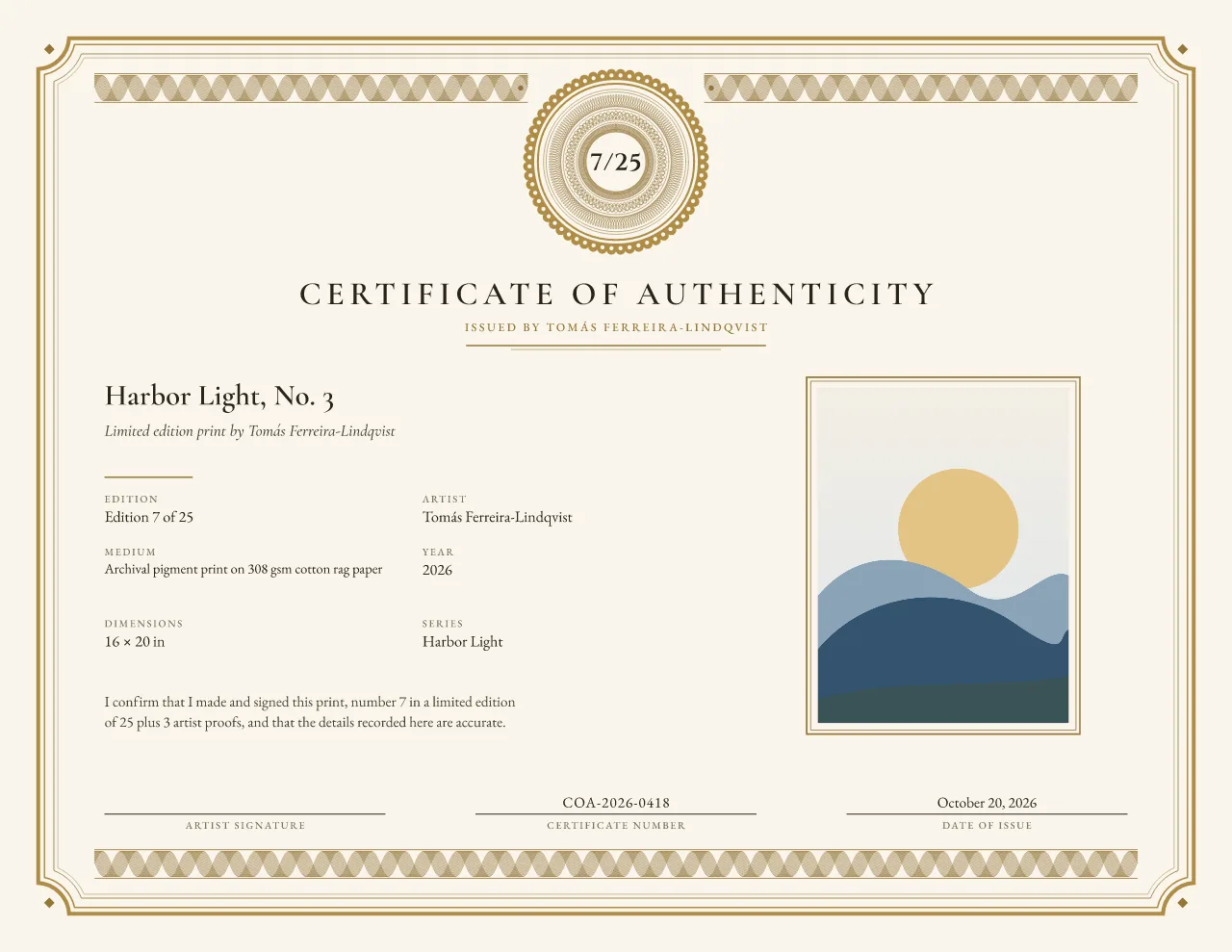
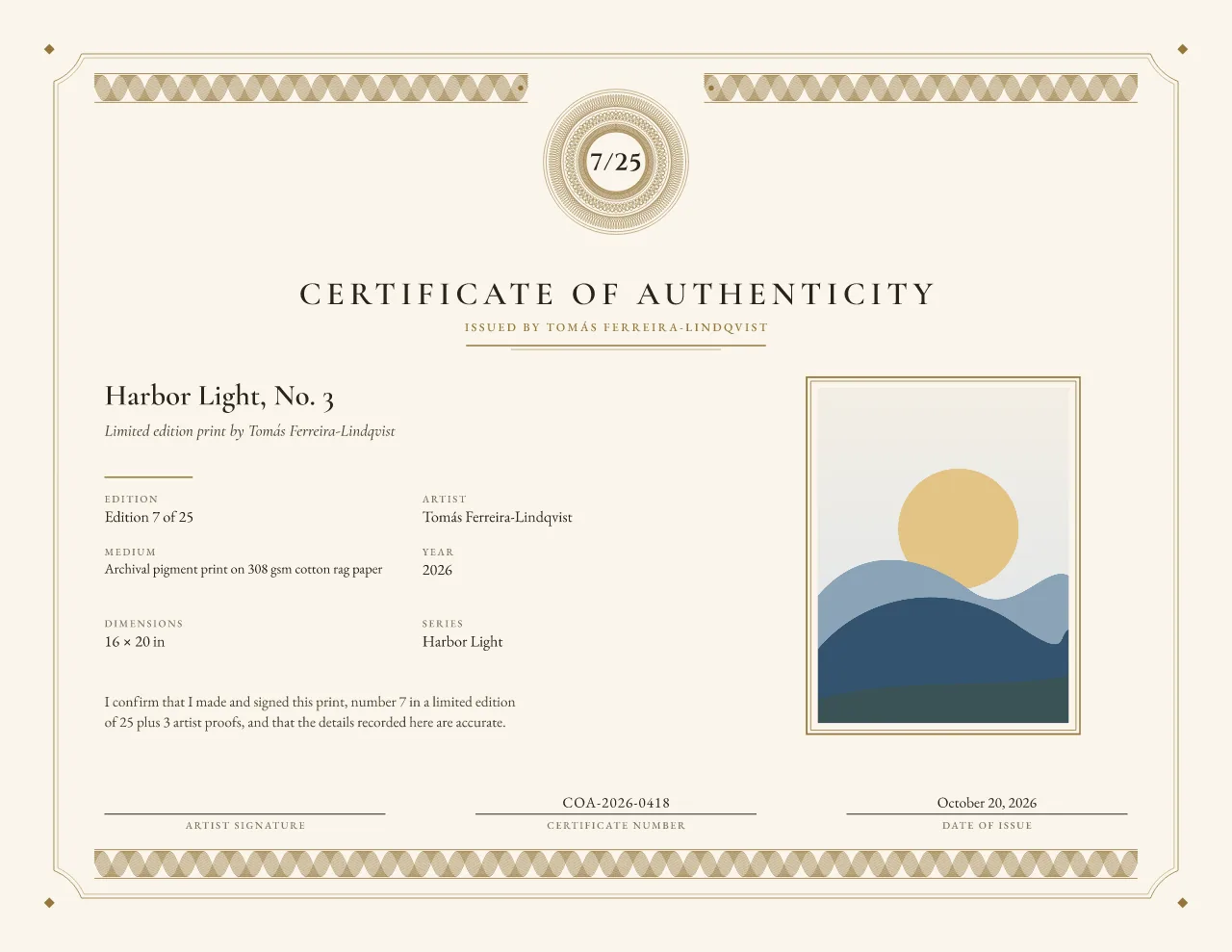
Measured on this example
- Foil shapes
- 4
- Thinnest line
- 0.35 mm (we flag below 0.25 mm)
- Narrowest gap
- 0.6 mm (we flag below 0.35 mm)
- Closest to the trim
- 8.22 mm (we flag below 2 mm)
These are our own checks, written into the printer note in every package. Printers set their own minimums, often stricter; theirs win. The on-screen metallic preview uses exactly these foil shapes, so what shines in the editor is what goes in the foil file.
Talking to your printer
Send the ZIP to a print shop that offers foil, with these questions. The printer note inside repeats the sizes and measurements in plain English.
- Which foil process do you use (hot foil with a die, or digital foil), and which foil colors do you stock?
- Which paper or card works with your foil, and what weight?
- What are your minimum line weight and minimum gap for foil? Our example measures below; ask them to compare.
- Do you want the foil file as solid black (100% K, as supplied) or as a named spot color?
- Which file order do you want, and do you need blank pages for the back?
- Can you send a proof, or a single sample, before the full run?
Where this stands
We have not yet tested these files with a specific printer, so no printer profile is approved. The package is artwork for review: your printer confirms the foil, the stock and the tolerances, and may ask for changes. Ask for a proof before the full run.
We do not print, foil-stamp or ship certificates.
Gold, silver or no foil
The finish option changes the preview, not the foil file. Gold and silver light the same shapes on screen; “no metallic” prints those shapes in the design's ink color, for home printing or when you skip foil. In the package the shapes are identical, and you choose the foil color with your printer.
-
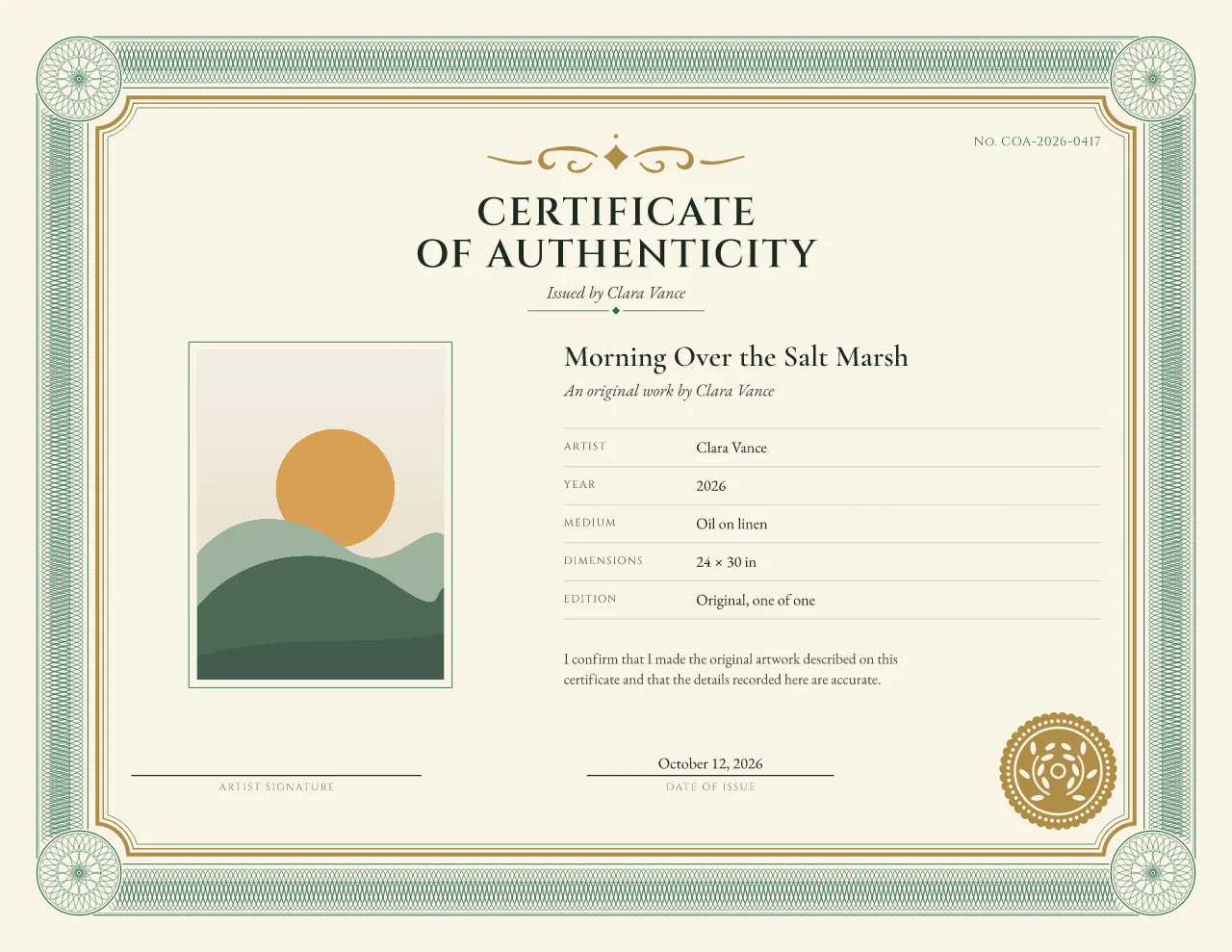
Gold: the same foil shapes -
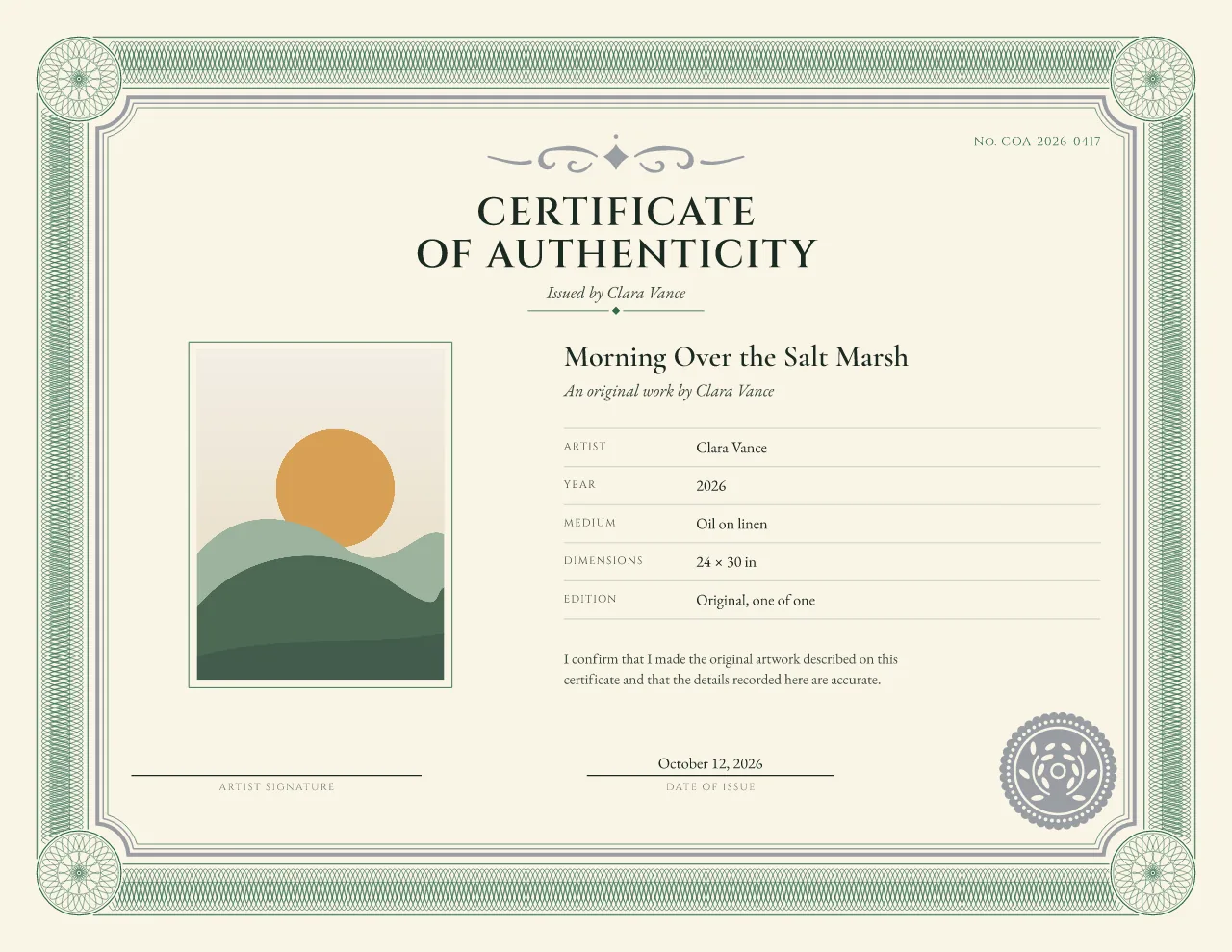
Silver: the same foil shapes -
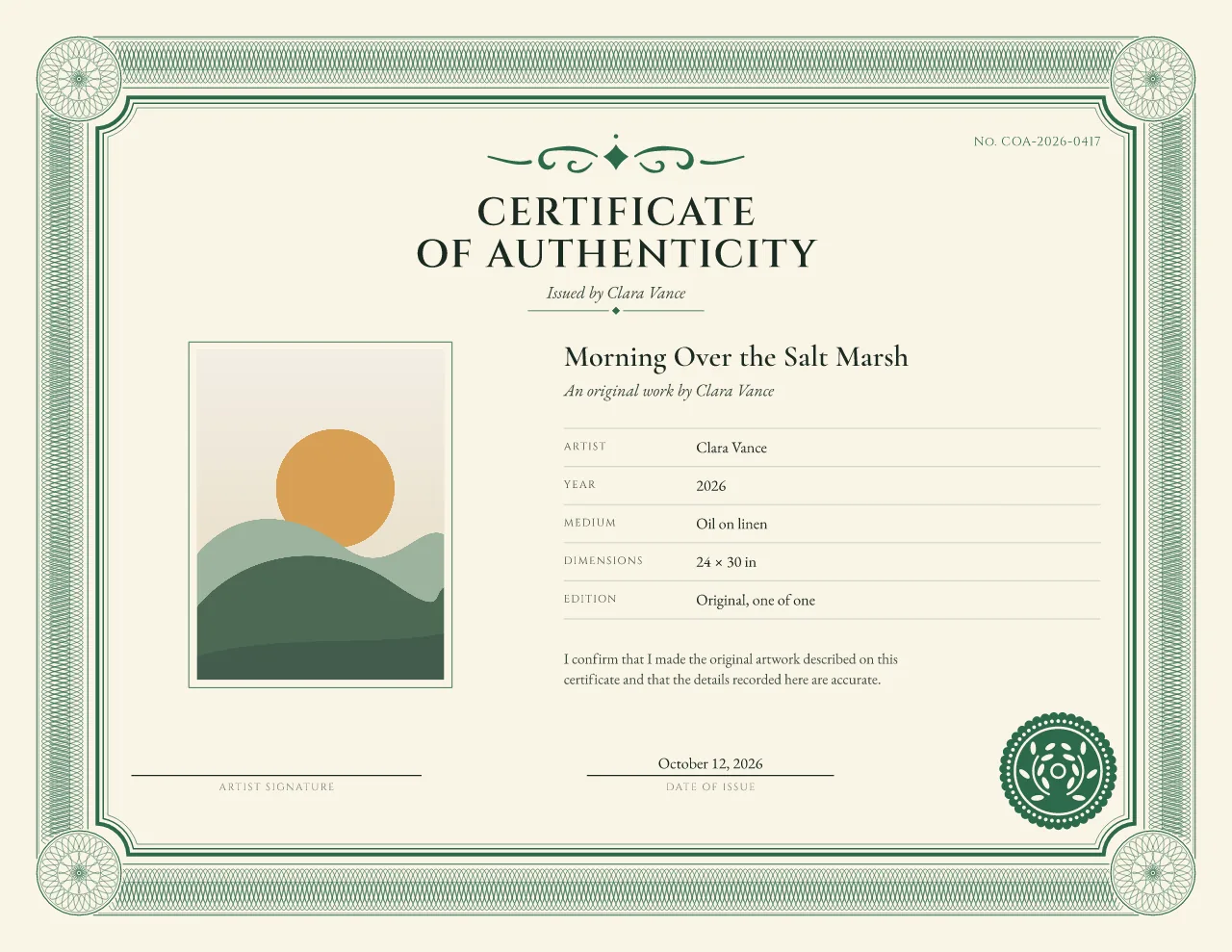
No metallic: the same shapes in ink
On screen, the gold and silver previews catch a soft moving light on exactly those shapes; press “Play finish” on the certificate at the top of this page.
Frequently asked questions
Can I print gold foil at home?
Not real foil. A home printer prints ink; gold ink or a gold color is not reflective foil. Foil needs a printer with a foil process, which is why we give you separate files to send them.
Will any printer accept these files?
Printers use different foil processes and file rules, so the package is labeled as artwork for printer review. Send it to your printer, ask them to check line weights and gaps, and request a proof before the full run.
Why isn't my name or edition number in foil?
Traditional hot foil uses a fixed die, so anything that changes from certificate to certificate stays in ordinary ink. The foil layer only holds fixed decoration such as the frame and seal. Some designs fit their ornament to long text, so before you reuse one foil die across edition certificates, compare the foil-only PDFs of the first and last certificate in the run.
What does the gold or silver option change?
On screen it changes the metallic preview. In the foil package the shapes are the same; you choose gold, silver or another foil color with your printer.
Designs and pages for foil
Not using foil? Every design prints well in ordinary ink: start with the certificate of authenticity template.